Chapter 35: Terraform Modules Writing Using Registry and Versioning
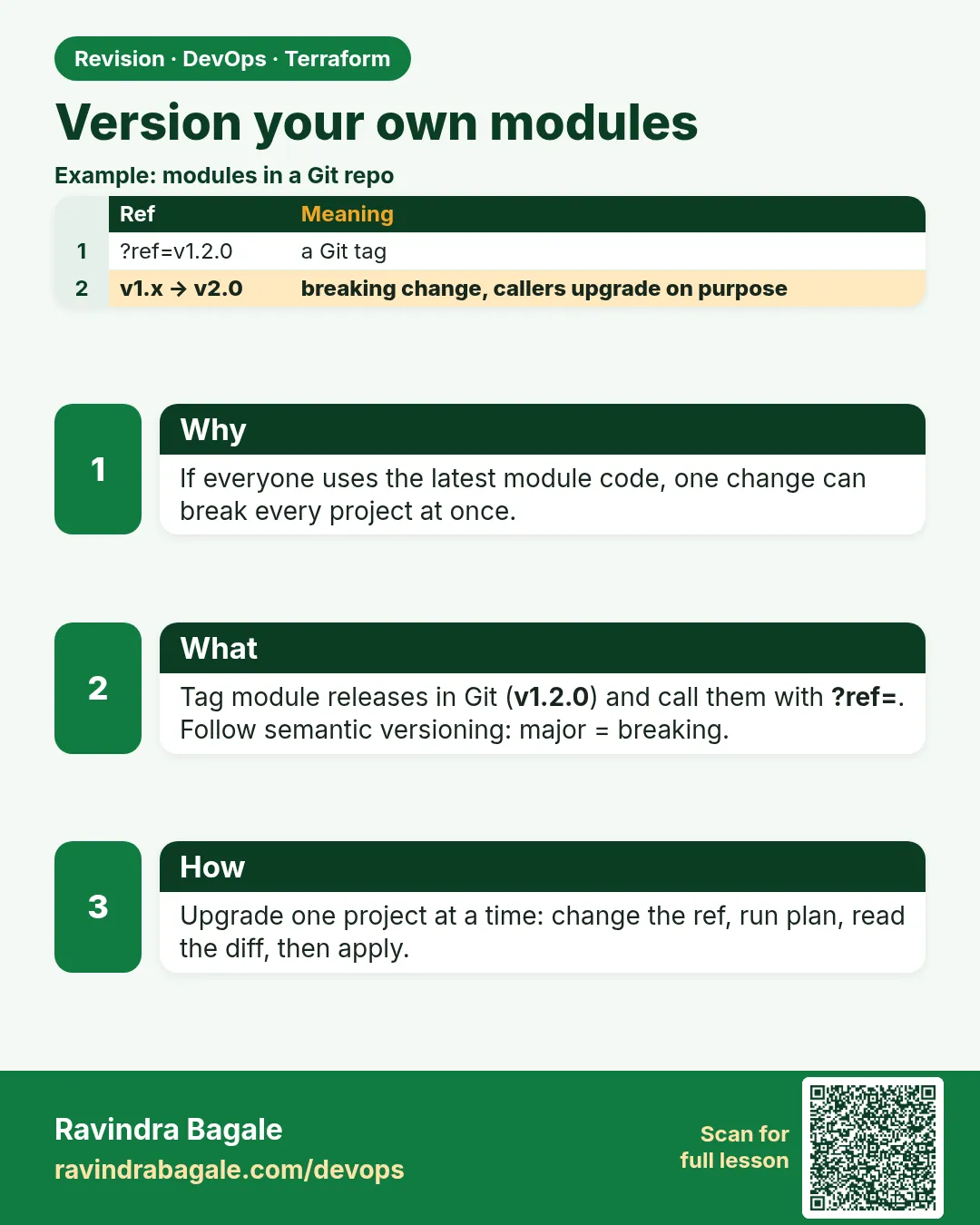
35.4 Version your own modules
Story. An Infosys client platform team changed a shared module and broke three product teams on the same morning, because everyone pointed at the latest code. Version tags fix that. Publish the module from a Git repository with tags such as v1.2.0, and each caller pins a ref. Upgrades become a reviewed one-line change in each caller.
# in the module repository
git tag -a v1.2.0 -m "web-server: add IMDSv2 requirement"
git push origin v1.2.0

# in the caller (placeholder host - use your company Git server)
module "web" {
  source = "git::https://git.example.com/platform/tf-web-server.git?ref=v1.2.0"
  name   = "badge-dev-web"
}

terraform init -upgrade
terraform plan
What each line does
git tag -a v1.2.0 -m "..."— Creates an annotated release tag on the module code.git push origin v1.2.0— Publishes the tag so callers can use it.source = "git::https://git.example.com/...?ref=v1.2.0"— Downloads the module from Git at exactly that tag; replace the placeholder host.terraform init -upgrade— Fetches the new module version after you change the ref.terraform plan— Shows exactly what the new module version would change.
When it is green.
Downloading git::https://git.example.com/platform/tf-web-server.git?ref=v1.2.0 for web...
  ~ resource "aws_instance" "this" {
      ~ metadata_options { ~ http_tokens = "optional" -> "required" }
    }
Plan: 0 to add, 1 to change, 0 to destroy.
When it is red.
Error: Failed to download module
  Could not download module "web" source code from "git::https://...?ref=v1.3.0":
  error downloading: exit status 128 - fatal: Remote branch v1.3.0 not found
Fix. The tag does not exist yet or was not pushed. Run git push origin with the tag name, or fix the ref.
What: every term in plain English
- semantic version — A tag like v1.4.2: major.minor.patch.
- major — Breaking change. Callers must change code, such as a renamed input.
- minor — New feature that does not break callers, such as a new optional input.
- patch — A fix with no new inputs.
- ref — The Git tag or branch in a git:: source, such as ?ref=v1.2.0.
- CHANGELOG.md — A file listing what changed in each version.
- private registry — A company registry, such as Terraform Cloud or GitLab, that hosts modules by version.
Example 1: Release v1.0.0 of a module
An HCL Tech platform team kept the web-server module in its own Git repo, so each release gets a tag.
- Create a repo called tf-web-server with the module files at the root.
- Commit and tag v1.0.0.
- Push the tag.
cd tf-web-server
git init -b main
git add .
git commit -m "web-server module first release"
git tag -a v1.0.0 -m "v1.0.0: server, security group, outputs"
git remote add origin https://git.example.com/platform/tf-web-server.git
git push origin main --tags
git tag -l
Output
[main (root-commit) 3f2a1b0] web-server module first release
 4 files changed, 92 insertions(+)
 * [new branch]      main -> main
 * [new tag]         v1.0.0 -> v1.0.0
v1.0.0
What it shows: git.example.com is a placeholder. Use your company Git server.
Example 2: Call the module at a tag
Product teams pin the tag. The module can change on main without touching them.
module "web" {
  source    = "git::https://git.example.com/platform/tf-web-server.git?ref=v1.0.0"
  name      = "orders-dev-web"
  vpc_id    = data.aws_vpc.default.id
  subnet_id = data.aws_subnets.default.ids[0]
}
terraform init
terraform plan
Output
Initializing modules...
Downloading git::https://git.example.com/platform/tf-web-server.git?ref=v1.0.0 for web...
- web in .terraform/modules/web

Plan: 2 to add, 0 to change, 0 to destroy.
What it shows: For SSH access use git::ssh://git@git.example.com/platform/tf-web-server.git?ref=v1.0.0.
Example 3: Ship a minor release and upgrade one caller
The platform team added IMDSv2 as a safe default. That is v1.1.0. The orders team upgrades first in dev.
# in the module: main.tf
resource "aws_instance" "this" {
  # ...
  metadata_options {
    http_tokens = "required"
  }
}
# module repo
git commit -am "require IMDSv2"
git tag -a v1.1.0 -m "v1.1.0: IMDSv2 required"
git push origin v1.1.0

# caller repo: change ?ref=v1.0.0 to ?ref=v1.1.0, then
terraform init -upgrade
terraform plan
Output
Downloading git::https://git.example.com/platform/tf-web-server.git?ref=v1.1.0 for web...

  # module.web.aws_instance.this will be updated in-place
  ~ resource "aws_instance" "this" {
      ~ metadata_options {
          ~ http_tokens = "optional" -> "required"
        }
    }

Plan: 0 to add, 1 to change, 0 to destroy.
What it shows: In-place update, no server rebuild. Prod upgrades only after dev is green.
Example 4: Major release: renamed input with a moved block
The team renamed resource this to server in v2.0.0. Without a moved block, every caller would see a destroy.
# in the module v2.0.0: main.tf
resource "aws_instance" "server" {
  # ...
}

moved {
  from = aws_instance.this
  to   = aws_instance.server
}
# CHANGELOG.md
## v2.0.0
- BREAKING: input size renamed to instance_type
- resource renamed this -> server (moved block included, no destroy)
## v1.1.0
- IMDSv2 required
## v1.0.0
- first release
terraform init -upgrade
terraform plan
Output
  # module.web.aws_instance.this has moved to module.web.aws_instance.server
    resource "aws_instance" "server" {
        id = "i-0123456789abcdef0"
    }

Plan: 0 to add, 0 to change, 0 to destroy.
What it shows: Major means callers read the CHANGELOG. The moved block keeps the real server safe.
Command cheat sheet
| Command | What it does | When to use it |
|---|---|---|
git tag -a v1.2.0 -m "..." |
Make a release | Each module change |
git push origin v1.2.0 |
Publish the release | Right after tagging |
?ref=v1.2.0 |
Pin a Git module | Every git:: source |
terraform init -upgrade |
Download the new ref | After changing ref |
git tag -l |
List releases | Before choosing a version |
moved { from to } |
Keep resources on rename | Major releases |
Verify: did it work?
-
Tag exists
git ls-remote --tags originOutput
3f2a1b0... refs/tags/v1.1.0 -
Caller uses the tag
grep ref= main.tfOutput
source = "git::https://git.example.com/platform/tf-web-server.git?ref=v1.1.0" -
Upgrade is safe
terraform planOutput
Plan: 0 to add, 1 to change, 0 to destroy.
When it is red 1
Error: Failed to download module
  error downloading: exit status 128 - fatal: Remote branch v1.3.0 not found
Cause. The tag was not pushed, or has a typo.
Fix, step by step
- Run git ls-remote --tags origin.
- Push the tag or fix the ref.
When it is red 2
Error: Failed to download module
  fatal: could not read Username for 'https://git.example.com': terminal prompts disabled
Cause. The CI runner has no Git access.
Fix, step by step
- Use an SSH deploy key or a CI token stored as a secret.
- Never write the token in the .tf file.
When it is red 3
  # module.web.aws_instance.this will be destroyed
  # module.web.aws_instance.server will be created
Plan: 1 to add, 0 to change, 1 to destroy.
Cause. The module renamed a resource with no moved block.
Fix, step by step
- Do not apply.
- Add a moved block in the module and release a patch.
Cleanup
terraform destroy -auto-approve
Ravindra Bagale's Tip
Never point callers at main. A tag is a promise; a branch is a moving target.
Never point callers at main. A tag is a promise; a branch is a moving target.
Never point callers at main. A tag is a promise; a branch is a moving target.
Practice tasks
Easy Tag a release
Why: Start versioning.
What to do: Tag your module v1.0.0 and push it.
- git tag -a, git push --tags.
Check: git tag -l shows it.
Medium Pin a caller
Why: Stable callers.
What to do: Change a caller to ?ref=v1.0.0.
- init, plan.
Check: No changes.
Medium Minor upgrade
Why: Safe change.
What to do: Add an optional input, tag v1.1.0, upgrade dev.
- init -upgrade, plan.
Check: 0 to destroy.
Hard Major with moved
Why: No surprise destroy.
What to do: Rename a resource, add moved, tag v2.0.0.
- Write CHANGELOG.
- Upgrade a caller.
Check: Plan shows has moved and 0 to destroy.
Easy Say it in two lines
Why: If you can say it simply, you understand it.
What to do: Write two short lines about this lesson for a fresher.
- Write the problem it solves.
- Write the one command or file you use.
- Read it aloud.
Check: A fresher understands it without a question.
Easy Start a safe lab folder
Why: Practice needs a throwaway place.
What to do: Make a new folder with versions.tf and a random_pet resource, so no AWS cost.
- mkdir tf-lab and cd into it.
- Add the hashicorp/random provider and one random_pet.
- Run terraform init and terraform apply.
Check: Apply complete! with 1 added.
Medium Break it on purpose
Why: You must know the red output by face.
What to do: Cause one error from the red part of this lesson and fix it.
- Follow one red section.
- Copy the exact message to your notes.
- Write the fix in one line.
Check: You fixed it without searching the web.
Medium Run it twice
Why: A second run must be quiet.
What to do: Run the same plan two times with no edits.
- Run terraform plan.
- Run it again.
- Explain any change it still shows.
Check: The second plan says No changes, or you can explain each line.
Medium Write a runbook page
Why: At 2 a.m. nobody remembers flags.
What to do: Write a one-page runbook for this lesson.
- Title, when to use, exact commands, how to check, how to undo.
Check: A teammate can follow it alone.
Medium Run it from a pipeline
Why: Real teams run Terraform from CI, not from laptops.
What to do: Run the main command of this lesson inside a GitHub Actions or Jenkins job.
- Add a job with hashicorp/setup-terraform or a Terraform Docker image.
- Give it AWS access through an IAM role, never a key in the file.
- Run init, then the command from this lesson.
Check: The job log shows the same output you saw on your laptop.
Medium Check the cost
Why: Labs left running cost real money.
What to do: Find what this lesson would cost per day if you forgot to destroy it.
- Open the AWS Pricing Calculator.
- Add each resource from your plan.
- Write the daily cost in your notes.
Check: You know the daily cost and you ran terraform destroy.
Hard Draw the flow top to bottom
Why: A drawing shows the order of work.
What to do: Draw this lesson as boxes from top to bottom.
- Start at your code, go through plan and state, end at AWS.
- Mark where each command reads or writes.
Check: Each box matches a real step you ran.
Hard Explain it like an interview
Why: Interviewers want real stories.
What to do: Record a 60 second answer about this lesson.
- Say the problem, the command, and one error you hit.
Check: Your answer has a real command and a real error message.
Homework: try at home
Try at home
Write a CHANGELOG.md for a module with three releases. For each, say if it is major, minor or patch and why.
Recap
- Tag every module release with semantic versions.
- Callers pin ?ref=TAG, never a branch.
- Upgrades go dev first, through a reviewed plan.
- Major releases need a CHANGELOG and moved blocks.
- Keep Git tokens out of code.
FAQ
Can I use a branch as ref?
It works, but the code changes under you. Use tags.
Can I delete a tag?
Avoid it. Callers may use it. Release a new patch instead.
Git or private registry?
Git tags are simple. A private registry adds a version picker and search.
How do I use version = with Git?
You cannot. version works only for registry sources. Use ?ref= for Git.
Monorepo or one repo per module?
Both work. One repo per module makes tags simple.
Interview questions
-
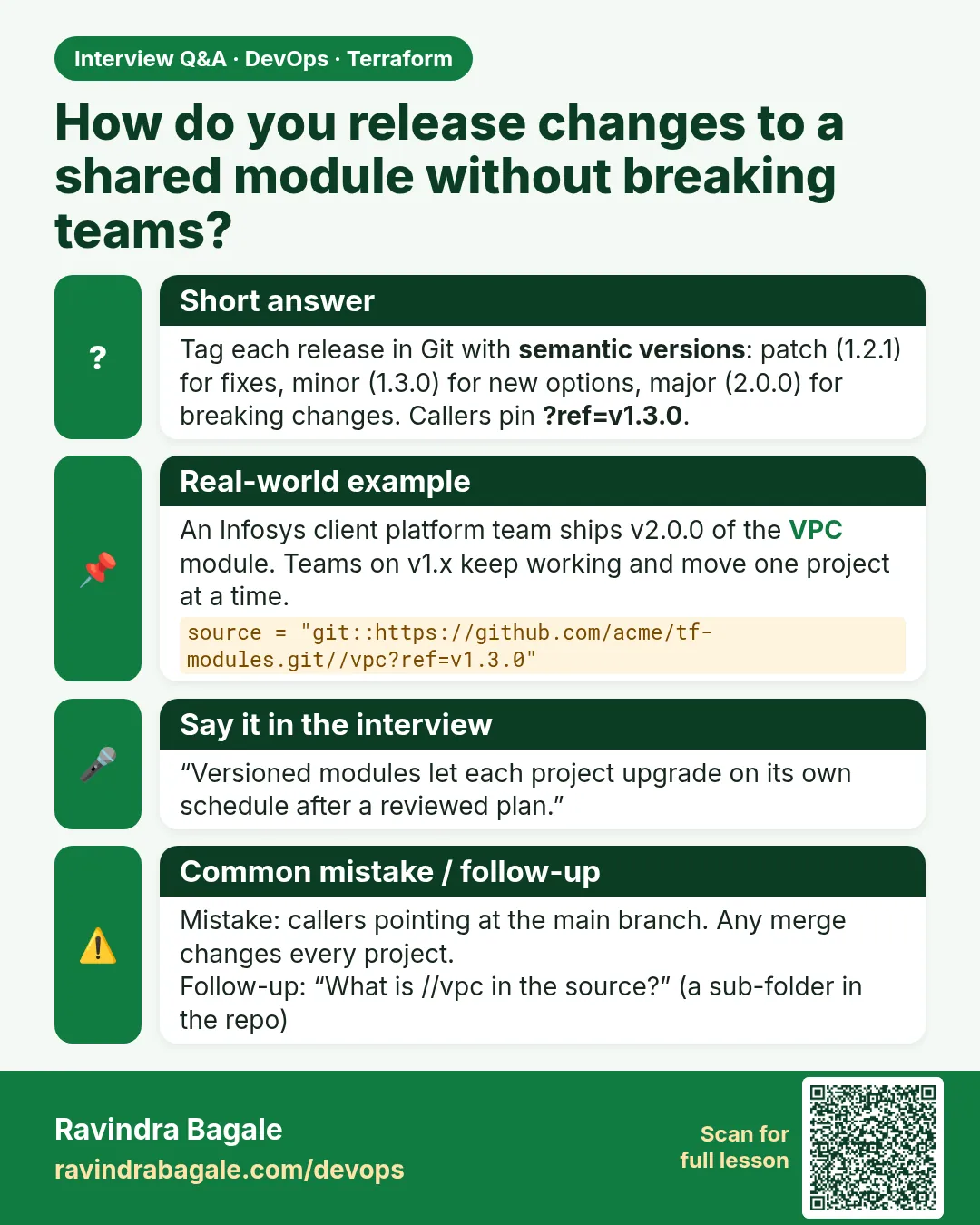
How do you version Terraform modules?
Keep them in Git, tag releases with semantic versions, and callers pin ?ref=TAG.
-
What is a breaking change in a module?
Removing or renaming an input or output, or a change that forces replacement.
-
How do you rename a resource inside a shared module?
Add a moved block in the module so callers see no destroy.
-
How do callers upgrade?
Change ref in a branch, init -upgrade, plan in dev, then promote.
-
How does CI download a private Git module?
With an SSH deploy key or a token from the CI secret store, never in code.
Quick quiz
Q1. What does the 2 in v2.0.0 mean?
Major, a breaking change.
Q2. How do you pin a Git module?
?ref=v1.2.0
Q3. Which command fetches the new ref?
terraform init -upgrade
Q4. Can you use version = with a Git source?
No.
Q5. What keeps a renamed resource safe?
A moved block.
Lab
- Create modules/web-server from 35.2.
- Create envs/dev/main.tf calling the registry VPC module and your module.
- Run terraform init and terraform plan; count the resources to add.
- Run terraform apply and print web_ip.
- Change the module default instance type and run plan to see the update.
- Run terraform destroy to avoid cost.
Practice task
List the five inputs and two outputs you would give a reusable S3 bucket module, and explain why.
Ravindra Bagale's Tip
A module with forty inputs is just a copy with extra steps. Expose only what callers should change.
चाळीस input असलेला module म्हणजे फक्त अतिरिक्त पावले असलेली कॉपी. Callers नी बदलावे तेच उघड ठेवा.
चालीस input वाला module सिर्फ़ अतिरिक्त कदम वाली कॉपी है. Callers को जो बदलना चाहिए सिर्फ़ वही खोलें.
In short
- A module is a folder with inputs, resources and outputs.
- The root module calls child modules; outputs wire into inputs.
- Registry modules are pinned with a version range.
- Your own modules are pinned with Git tags and upgraded through review.
 Revision card
 Interview card