Chapter 22: Jenkins Language Projects — Java to Python
22.5 .NET — start to end
Why: the problem
Think of the ICICI Bank branch software team. Many Indian banks and insurance companies, like ICICI and LIC vendors, write their backend in C# on .NET. Earlier .NET ran only on Windows, so teams thought Jenkins on Linux could not build it. Today .NET 8 runs on Linux, and the dotnet command does everything: restore libraries, build, test and publish. Publish makes a folder with the app dll and everything it needs. In this lesson you build the badge rule as a small .NET web API with an xUnit test project, run it on Linux, and push it so a Jenkins agent with the .NET SDK, or the official SDK Docker image, does the same.
What we will build
You will create a solution with a web API project and an xUnit test project, run dotnet test and dotnet publish, write a Jenkinsfile that uses the Microsoft SDK image as the agent, publish TRX test results, and smoke test the published app.
What: every term in plain English
- .NET SDK — The tools to build .NET apps: the dotnet command.
- Solution (.sln) — A file that groups projects, like an app and its tests.
- Project (.csproj) — One app or library and its settings.
- NuGet — The .NET library store, like Maven Central.
- dotnet restore — Downloads NuGet packages.
- xUnit — A common .NET test framework.
- dotnet publish — Makes a ready-to-run folder.
- TRX — The .NET test result file format.
How: step by step
-
Make the solution
mkdir -p ~/devops-lab/ch22/badge-dotnet && cd ~/devops-lab/ch22/badge-dotnet && dotnet new sln -n BadgeWhat it does: Groups projects.
Output
The template "Solution File" was created successfully. -
Web API project
dotnet new web -n Badge.Api -o src/Badge.Api && dotnet sln add src/Badge.ApiWhat it does: Minimal API.
Output
Project `src/Badge.Api/Badge.Api.csproj` added to the solution. -
Test project
dotnet new xunit -n Badge.Tests -o tests/Badge.Tests && dotnet sln add tests/Badge.Tests && dotnet add tests/Badge.Tests reference src/Badge.ApiWhat it does: Tests can see the app code.
Output
Reference `..\..\src\Badge.Api\Badge.Api.csproj` added to the project. -
Write the code
Replace Program.cs and add BadgeRules.cs and BadgeTests.cs from Example 1What it does: Our rule.
Output
(no output) -
Test
dotnet testWhat it does: Restore, build, test.
Output
Passed! - Failed: 0, Passed: 3, Skipped: 0, Total: 3 -
Publish
dotnet publish src/Badge.Api -c Release -o outWhat it does: Ready folder.
Output
Badge.Api -> /home/ravi/devops-lab/ch22/badge-dotnet/out/ -
Run
dotnet out/Badge.Api.dll --urls http://localhost:5080 & sleep 3; curl -s "localhost:5080/badge?points=60"What it does: It answers.
Output
{"points":60,"level":"silver"}
Example 1: The C# code and tests
Stack. .NET 8, C#, xUnit
Goal. The C# code and tests.
src/Badge.Api/BadgeRules.cs
namespace Badge.Api;

public static class BadgeRules
{
    public static string Level(int points) =>
        points >= 100 ? "gold" : points >= 50 ? "silver" : "bronze";
}
src/Badge.Api/Program.cs
using Badge.Api;

var builder = WebApplication.CreateBuilder(args);
var app = builder.Build();

app.MapGet("/health", () => Results.Ok(new { status = "UP" }));
app.MapGet("/badge", (int points) => new { points, level = BadgeRules.Level(points) });

app.Run();
tests/Badge.Tests/BadgeTests.cs
using Badge.Api;
using Xunit;

public class BadgeTests
{
    [Theory]
    [InlineData(100, "gold")]
    [InlineData(50, "silver")]
    [InlineData(0, "bronze")]
    public void Level_is_right(int points, string expected) =>
        Assert.Equal(expected, BadgeRules.Level(points));
}
What each line does
static class BadgeRules— Pure rule, easy to test.MapGet("/badge")— GET /badge returns JSON./health— For smoke tests and load balancers.[Theory] + [InlineData]— One test, three inputs.Assert.Equal— Fails if values differ.
Green output
Passed! - Failed: 0, Passed: 3, Skipped: 0, Total: 3, Duration: 12 ms - Badge.Tests.dll (net8.0)
Expected result. Three test cases pass on Linux.
Example 2: Jenkinsfile with the SDK image as agent
Stack. Jenkins, Docker, .NET
Goal. Jenkinsfile with the SDK image as agent.
Jenkinsfile
pipeline {
  agent {
    docker {
      image 'mcr.microsoft.com/dotnet/sdk:8.0'
      args '-v $HOME/.nuget:/root/.nuget -e DOTNET_CLI_HOME=/tmp -e HOME=/tmp'
    }
  }
  options { timestamps() }
  environment { DOTNET_CLI_TELEMETRY_OPTOUT = '1'; DOTNET_NOLOGO = '1' }
  stages {
    stage('Restore') { steps { sh 'dotnet restore' } }
    stage('Build')   { steps { sh 'dotnet build -c Release --no-restore' } }
    stage('Test')    { steps { sh 'dotnet test -c Release --no-build --logger "trx;LogFileName=results.trx" --results-directory TestResults' } }
    stage('Publish') { steps { sh 'dotnet publish src/Badge.Api -c Release --no-restore -o out' } }
  }
  post {
    always  { mstest testResultsFile: 'TestResults/*.trx' }
    success { archiveArtifacts 'out/**' }
  }
}
What each line does
sdk:8.0— Official image; no .NET install on the agent..nuget mount— Cache packages.HOME=/tmp— The container user can write its cache.--no-restore / --no-build— Do not repeat earlier work.--logger trx— Write test results.mstest— Plugin step that reads TRX files.
Green output
[Pipeline] stage (Test)
Passed!  - Failed: 0, Passed: 3, Skipped: 0, Total: 3
[Pipeline] stage (Publish)
Badge.Api -> /var/jenkins_home/workspace/badge-dotnet-pipeline/out/
Archiving artifacts
Finished: SUCCESS
Expected result. Green build with test results and a downloadable publish folder.
Example 3: Smoke test the published app in CI
Stack. Jenkins, .NET
Goal. Smoke test the published app in CI.
stage
stage('Smoke') {
  steps {
    sh 'nohup dotnet out/Badge.Api.dll --urls http://localhost:15080 > app.log 2>&1 & echo $! > app.pid'
    sh 'for i in $(seq 1 20); do curl -fs localhost:15080/health && break; sleep 1; done'
    sh 'curl -fs "localhost:15080/badge?points=120" | grep gold'
    sh 'kill $(cat app.pid)'
  }
}
What each line does
--urls— Choose the port.wait loop— App needs a second or two.grep gold— Fail if the answer is wrong.
Green output
{"status":"UP"}
{"points":120,"level":"gold"}
Expected result. The publish folder really runs.
Example 4: A small runtime image for production
Stack. Docker, .NET
Goal. A small runtime image for production.
Dockerfile
FROM mcr.microsoft.com/dotnet/sdk:8.0 AS build
WORKDIR /src
COPY . .
RUN dotnet publish src/Badge.Api -c Release -o /out

FROM mcr.microsoft.com/dotnet/aspnet:8.0
WORKDIR /app
COPY --from=build /out .
USER app
ENV ASPNETCORE_URLS=http://+:8080
EXPOSE 8080
ENTRYPOINT ["dotnet", "Badge.Api.dll"]
What each line does
AS build— First stage has the SDK.aspnet:8.0— Runtime only, much smaller.USER app— Non-root user that the image already has.ASPNETCORE_URLS— Listen on 8080 inside the container.
Green output
docker build -t badge-dotnet:1 .
docker images badge-dotnet
badge-dotnet   1   9a1b...   222MB
Expected result. SDK image is about 850 MB; the final image is about 220 MB.
Verify: did it work?
-
Tests pass
dotnet test --nologo -v qWhat it does: All green.
Output
Passed! - Failed: 0, Passed: 3 -
Publish folder
ls out | grep Badge.Api.dllWhat it does: App dll.
Output
Badge.Api.dll -
TRX exists
ls TestResultsWhat it does: For Jenkins.
Output
results.trx
When it is red 1
dotnet: command not found
Cause. No SDK on the agent.
Fix, step by step
- Use the mcr.microsoft.com/dotnet/sdk:8.0 Docker agent.
- Or install with apt install dotnet-sdk-8.0 on Ubuntu 24.04.
When it is red 2
Access to the path '/.dotnet' is denied
Cause. Container user has no home folder.
Fix, step by step
- Set HOME=/tmp and DOTNET_CLI_HOME=/tmp in args.
When it is red 3
error NU1301: Unable to load the service index for source https://api.nuget.org/v3/index.json
Cause. No internet or proxy to NuGet.
Fix, step by step
- Check the proxy.
- Add a company feed in nuget.config.
When it is red 4
error NETSDK1045: The current .NET SDK does not support targeting .NET 9.0
Cause. Project targets a newer .NET than the SDK image.
Fix, step by step
- Use sdk:9.0, or set TargetFramework to net8.0.
Cleanup
-
Stop app and clean
kill %1 2>/dev/null; rm -rf out TestResultsWhat it does: Free the port.
Output
(no output)
Ravindra Bagale's Tip
.NET no longer needs Windows. Take an sdk image as the agent and run dotnet test — it is simple!
.NET ला आता Windows लागत नाही. sdk image agent घ्या आणि dotnet test चालवा, सोपं आहे!
.NET को अब Windows नहीं चाहिए. sdk image agent लो और dotnet test चलाओ — आसान है!
Practice tasks
Easy Run the API
Why: Feel it.
What to do: Run Badge.Api and call /badge.
- dotnet run --project src/Badge.Api
Check: JSON answer.
Medium Docker agent
Why: No install.
What to do: Use the SDK image agent.
- Docker Pipeline plugin.
Check: Green build.
Hard Multi-stage image
Why: Small and safe.
What to do: Build the Dockerfile.
- docker build
Check: Image near 220 MB.
Easy Say .NET pipelines in two lines
Why: If you can say it simply, you understand it. Interviewers want the short version first.
What to do: Write two short lines about .NET pipelines for a fresher who knows only basic Linux.
- Write the problem it solves.
- Write one real command or file that shows it.
- Read it aloud to a friend.
Check: A fresher understands it without asking a question.
Easy Make a safe lab folder
Why: Practice needs a place you can throw away. Then mistakes cost nothing.
What to do: Create a lab folder for this chapter and work only inside it.
- mkdir -p ~/devops-lab && cd ~/devops-lab
- Run every command of this lesson from here.
- Check with pwd before you delete anything.
Check: All lab files live in ~/devops-lab.
Medium Repeat it in a container
Why: Your laptop is not the server. A clean Ubuntu container shows what a fresh server needs.
What to do: Run the main steps of this lesson again inside an Ubuntu container.
- docker run --rm -it -v "$PWD":/lab -w /lab ubuntu:24.04 bash
- apt update and install what is missing.
- Note every missing tool.
Check: Same result inside the container, or a list of what you had to install.
Medium Break it on purpose
Why: You must know the red message by face. In an outage there is no time to read slowly.
What to do: Cause one error from the "When it is red" part of this lesson and fix it.
- Follow the error section.
- Copy the exact message into your notes.
- Write the fix in one line.
Check: You fixed it using only the steps, without searching the web.
Medium Write a one-page runbook
Why: At 2 a.m. nobody remembers the right command. A short page saves the on-call person.
What to do: Write a runbook page for this lesson.
- Title, when to use, exact command, how to check, how to undo.
Check: A teammate can follow it alone.
Hard Explain it like an interview
Why: Interviewers want real stories, not definitions.
What to do: Record a 60 second answer about this lesson.
- Say the problem, the command or file you used, and one error you hit.
Check: Your answer has a real command and a real error message.
Hard Draw the flow top to bottom
Why: A drawing shows who does what and in which order.
What to do: Draw this lesson as boxes from top to bottom.
- Start at the developer laptop, end at the user on the website.
Check: Each box matches a real thing you ran.
Homework: try at home
Try at home
Add a test case for 99 points. Add the Smoke stage. Push and check the Test Result page in Jenkins shows 4 tests.
Recap
- .NET 8 runs on Linux.
- dotnet does restore, build, test, publish.
- Use the SDK image as agent.
- Publish TRX results.
- Ship the aspnet runtime image.
FAQ
Do I need Windows agents for .NET?
Not for .NET 6 and newer. Old .NET Framework 4.x still needs Windows.
Where do NuGet packages come from?
nuget.org or a company feed in nuget.config.
What is Release vs Debug?
Release is optimised for production.
Can I use MSBuild directly?
Yes, but dotnet build calls it for you.
How do I store connection strings?
Environment variables from Jenkins credentials or a secret manager.
Is Visual Studio needed on the agent?
No. Only the SDK.
Interview questions
-
How do you build .NET in Linux CI?
Use the dotnet SDK, restore, build, test with a logger, publish.
-
Difference between sdk and aspnet images?
sdk builds; aspnet only runs.
-
How do you show .NET tests in Jenkins?
TRX logger plus the mstest or xunit plugin.
-
What does NETSDK1045 mean?
SDK older than the target framework.
-
How do you cache NuGet in CI?
Mount or cache ~/.nuget/packages.
Quick quiz
Q1. Which command runs .NET tests?
dotnet test
Q2. What does dotnet publish make?
A ready-to-run folder.
Q3. Which image has the SDK?
mcr.microsoft.com/dotnet/sdk:8.0
Q4. What file format are .NET test results?
TRX.
Q5. Why --no-build in Test?
Build already happened.
Did you understand? Let us try it once more.
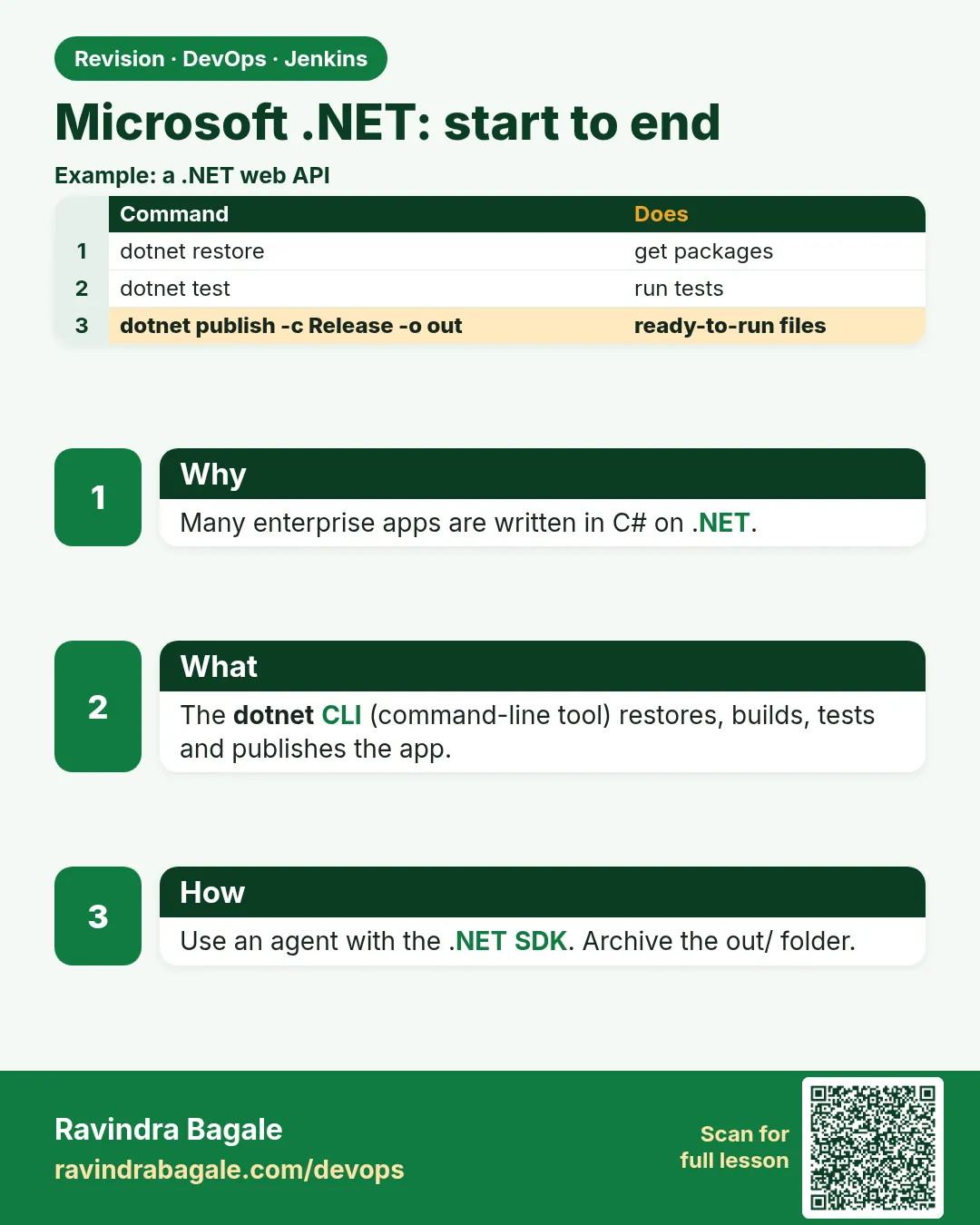 Revision card
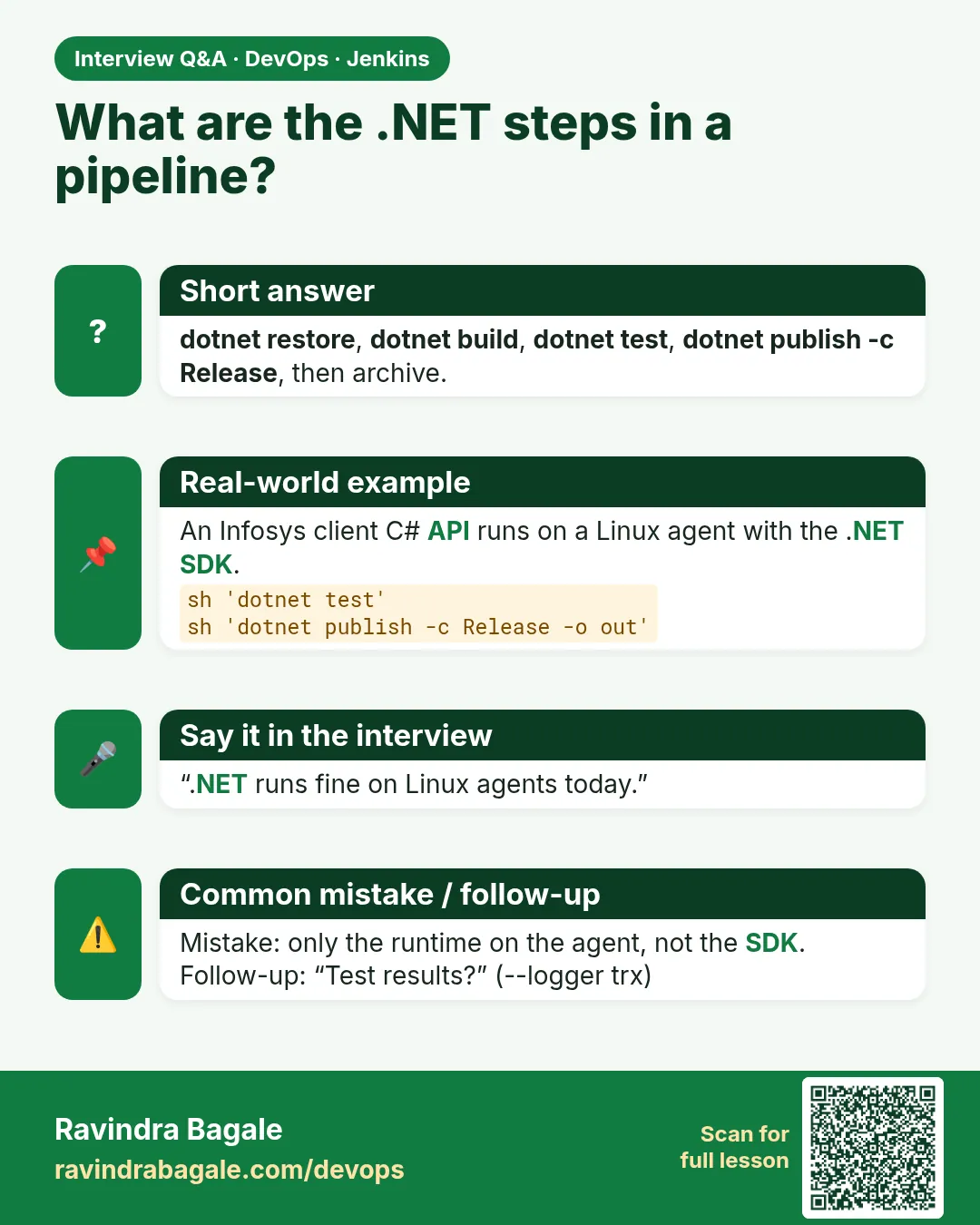 Interview card