Chapter 20: Jenkins Manual Jobs — Install, Configure and Freestyle
20.11 Freestyle build steps — Node.js manual job
Why: the problem
This is the lesson where the chapter title comes true: Develop, Build, Test, and a lab Live. A developer pushes a change to badge-api. Within a minute Jenkins checks out that exact commit, installs dependencies with npm ci, runs the tests, packages a tgz, starts the new version in a lab container, and checks its health URL. If any step fails, the build is red and nothing goes live. That is continuous integration plus a tiny continuous deployment to a lab, built only with Freestyle form fields. Companies like Swiggy and Razorpay do the same thing at much bigger scale with Pipelines and Kubernetes, but the steps are the same: get code, build, test, package, deploy, verify. Splitting the steps matters. One giant shell box with fifty lines hides where it failed; three or four small Execute shell steps make the log readable and the failing step obvious. In this lesson you will build badge-api-ci into a full manual CI and lab deploy job, and watch it stop a broken commit.
What we will build
You will add four Execute shell build steps to badge-api-ci: tools check, install and test, package, and lab deploy with a health check. The deploy runs the packaged app in a node:20-alpine container called badge-lab on port 3001, using the Docker CLI against the host socket in this lab only. Then you will push a broken commit, watch the Test step fail, and see that the lab container still runs the previous good version.
What: every term in plain English
- Build step — One item in the Build Steps list. Steps run in order; the first failure stops the rest.
- Artifact — A file a build produces, like badge-api-1.0.0.tgz.
- Lab deploy — Running the new version somewhere safe to check it starts, not production.
- Health check — A request to /health that must return ok within a time limit.
- Docker socket — /var/run/docker.sock. Mounting it lets the container run Docker commands on the host. Lab only; it equals root on the host.
- Rollback — Going back to the last good version.
How: step by step
-
Give Jenkins the Docker CLI (lab only)
Add to Dockerfile: RUN apt-get install -y docker.io (as root) and run Jenkins with -v /var/run/docker.sock:/var/run/docker.sock --group-add $(stat -c %g /var/run/docker.sock)What it does: Jenkins can start lab containers. Never do this on a shared server.
Output
docker version shows Client and Server -
Step 1: tools check
Add build step > Execute shell > bash ci/check-tools.shWhat it does: Fails early if node, npm or docker is missing.
Output
node ok, npm ok, docker ok -
Step 2: install and test
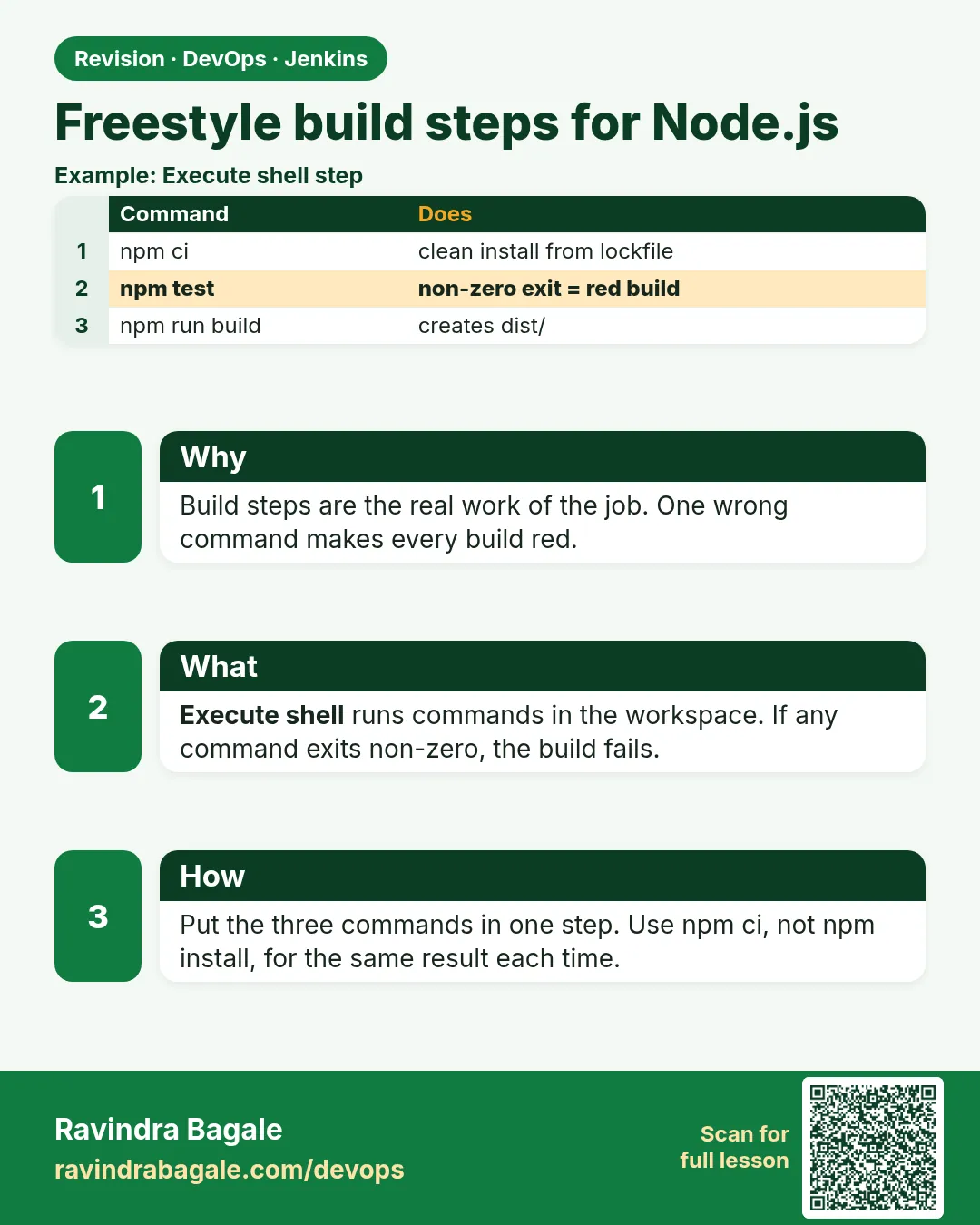
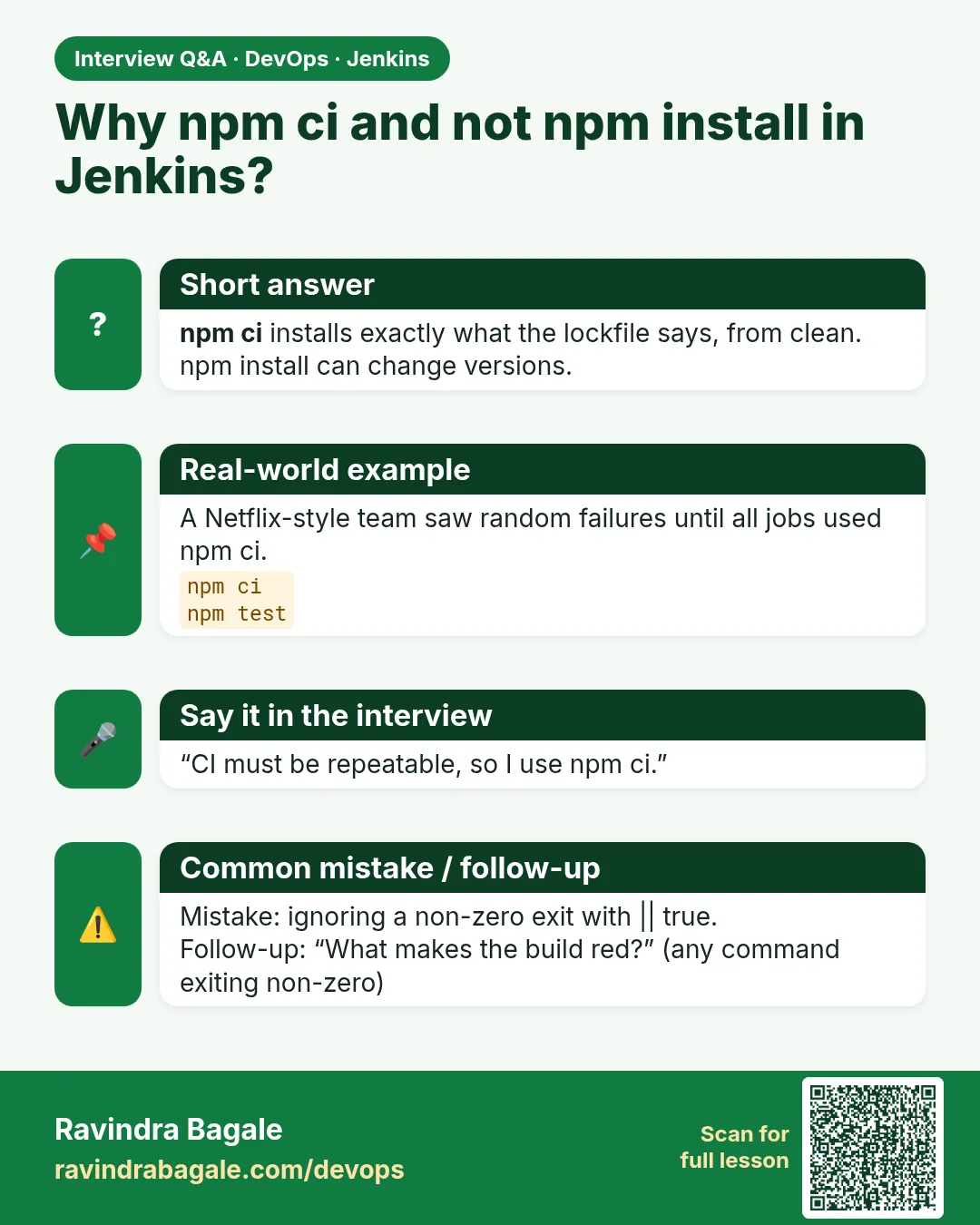
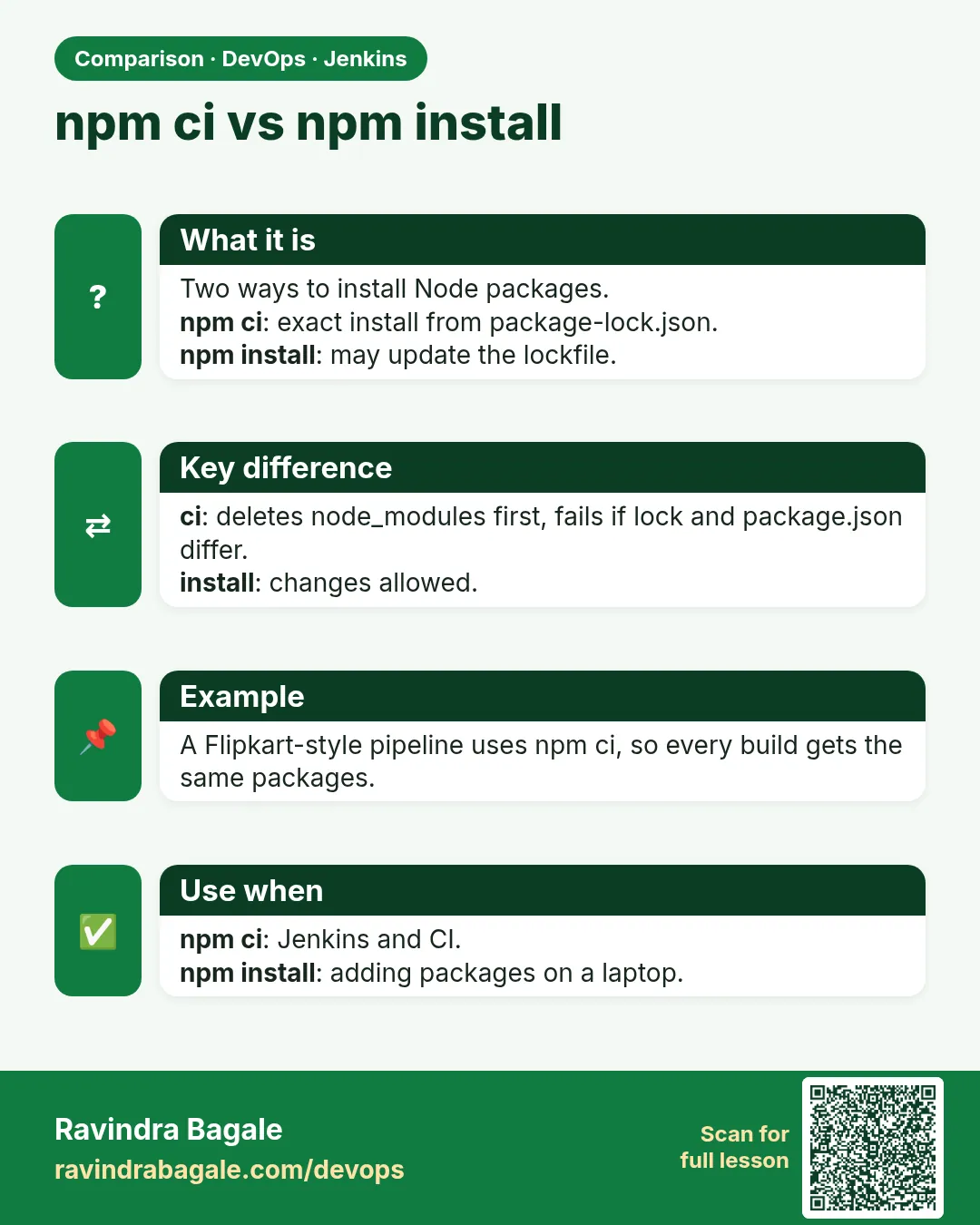
Add build step > Execute shell > npm ci && npm run test:ciWhat it does: Exact install and tests with a JUnit report.
Output
ℹ pass 3 -
Step 3: package
Add build step > Execute shell > npm run buildWhat it does: Makes dist/badge-api-1.0.0.tgz.
Output
badge-api-1.0.0.tgz -
Step 4: lab deploy
Add build step > Execute shell > bash ci/deploy-lab.shWhat it does: Runs the new version and checks health.
Output
health ok -
Run it
Build NowWhat it does: All four steps in the log.
Output
Finished: SUCCESS
Example 1: The four build steps as files in the repo
Stack. Freestyle, Docker, Node 20
Goal. The four build steps as files in the repo.
ci/check-tools.sh
#!/usr/bin/env bash
set -u
rc=0
for t in node npm docker tar; do
  command -v "$t" > /dev/null && echo "$t ok" || { echo "$t MISSING"; rc=1; }
done
exit $rc
ci/deploy-lab.sh
#!/usr/bin/env bash
set -euo pipefail
PKG=$(ls dist/badge-api-*.tgz | head -1)
NAME=badge-lab
docker rm -f "$NAME-new" > /dev/null 2>&1 || true
docker create --name "$NAME-new" -p 3002:3001 -w /app node:20-alpine \
  sh -c "tar xzf /pkg.tgz --strip-components=1 && node src/server.js" > /dev/null
docker cp "$PKG" "$NAME-new:/pkg.tgz"
docker start "$NAME-new" > /dev/null
for i in $(seq 1 15); do
  if docker exec "$NAME-new" wget -qO- http://localhost:3001/health 2>/dev/null | grep -q ok; then
    echo "health ok on new version"
    docker rm -f "$NAME" > /dev/null 2>&1 || true
    docker rename "$NAME-new" "$NAME"
    echo "$GIT_COMMIT" > deployed-commit.txt
    echo "lab live: build $BUILD_NUMBER commit ${GIT_COMMIT:0:7}"
    exit 0
  fi
  sleep 1
done
echo "health FAILED, keeping old version"
docker logs "$NAME-new" | tail -5
docker rm -f "$NAME-new" > /dev/null
exit 1
What each line does
command -v ... || { ...; rc=1; }— Checks every tool, then fails once with the full list.docker create ... node:20-alpine— A clean Node container. The package is copied in, not built inside.tar xzf --strip-components=1— npm pack puts files under package/, so strip that folder.-p 3002:3001— The new copy uses a side port while it is checked.wget -qO- /health— Alpine has wget; ok means the app started.docker rename— Only after health passes does the new one replace the old one.exit 1 on failure— The build turns red and the old version keeps running.
Green output
[badge-api-ci] $ /bin/sh -xe /tmp/jenkins1.sh
+ bash ci/check-tools.sh
node ok
npm ok
docker ok
tar ok
[badge-api-ci] $ /bin/sh -xe /tmp/jenkins2.sh
+ npm ci
added 0 packages in 0.3s
+ npm run test:ci
[badge-api-ci] $ /bin/sh -xe /tmp/jenkins3.sh
+ npm run build
badge-api-1.0.0.tgz
[badge-api-ci] $ /bin/sh -xe /tmp/jenkins4.sh
+ bash ci/deploy-lab.sh
health ok on new version
lab live: build 7 commit 9c41d2e
Finished: SUCCESS
Expected result. badge-lab runs build 7. Each step has its own block in the log.
Example 2: Push a broken commit and watch Jenkins protect the lab
Stack. Freestyle, node:test
Goal. Push a broken commit and watch Jenkins protect the lab.
break.sh (laptop)
cd badge-api
sed -i 's/points >= 1000/points > 1000/' src/badges.js
git commit -qam "change gold rule"
git push -q
sleep 30
curl -s -u "ravi:$JENKINS_TOKEN" http://localhost:8080/job/badge-api-ci/lastBuild/consoleText | grep -E "not ok|Expected|actual|Build step|Finished"
docker ps --filter name=badge-lab --format "{{.Names}} {{.Status}}"
What each line does
sed 's/>=/>/'— A real-looking bug: 1000 points no longer gives gold.grep -E ...— Pulls the useful lines from a long log.docker ps— The old container is untouched.
Green output
not ok 1 - gold at 1000
  expected: 'gold'
  actual: 'silver'
Build step 'Execute shell' marked build as failure
Finished: FAILURE
badge-lab Up 9 minutes
Expected result. Test failed, package and deploy steps never ran, the lab still serves build 7. Revert the change and push to go green again.
Example 3: Check what is live from outside
Stack. curl, docker exec
Goal. Check what is live from outside.
whats-live.sh
echo -n "health: "; curl -s localhost:3002/health 2>/dev/null || docker exec badge-lab wget -qO- localhost:3001/health; echo
docker exec badge-lab wget -qO- "http://localhost:3001/badge?points=1000"; echo
docker exec jenkins cat /var/jenkins_home/workspace/badge-api-ci/deployed-commit.txt | cut -c1-7
What each line does
/health— Is it alive?/badge?points=1000— Is the right logic live? It must say gold.deployed-commit.txt— Which commit the last good deploy used.
Green output
health: ok
{"points":1000,"badge":"gold"}
9c41d2e
Expected result. You can prove the live version and its behaviour in three commands.
Verify: did it work?
-
Lab container runs
docker ps --filter name=badge-lab --format "{{.Names}} {{.Image}}"What it does: One container, Node 20 alpine.
Output
badge-lab node:20-alpine -
Last good build
curl -s -u ravi:$JENKINS_TOKEN "http://localhost:8080/job/badge-api-ci/lastSuccessfulBuild/api/json?tree=number"What it does: Number of the build that is live.
Output
{"number":7}
When it is red 1
docker: permission denied while trying to connect to the Docker daemon socket
Cause. The jenkins user is not in the socket group.
Fix, step by step
- Start Jenkins with --group-add equal to the socket group id.
- Check: docker exec jenkins id.
When it is red 2
health FAILED, keeping old version
Cause. The new app crashed at start.
Fix, step by step
- Read the docker logs lines printed in the console.
- Run the package locally with node src/server.js.
When it is red 3
ls: cannot access dist/badge-api-*.tgz
Cause. The package step did not run or wrote elsewhere.
Fix, step by step
- Check scripts.build in package.json.
- Keep steps in order.
Cleanup
-
Stop the lab app
docker rm -f badge-labWhat it does: Frees the port.
Output
badge-lab
Ravindra Bagale's Tip
Do not put everything in one big shell box. Use small steps so you see where it failed at once. Keep that in mind!
एकाच मोठा shell box नको. छोटे steps, म्हणजे कुठे fail झाला ते लगेच कळतं. लक्षात ठेवा!
एक बड़ा shell box मत रखिए. छोटे steps, ताकि कहाँ fail हुआ तुरंत पता चले. याद रखिए!
Practice tasks
Easy Name the steps
Why: Readable logs.
What to do: Add echo "== STEP 2 test ==" at the top of each step.
- Edit steps.
Check: Log shows clear headings.
Medium Rollback
Why: Recover fast.
What to do: Write rollback.sh that redeploys the last good tgz.
- Archive tgz files (20.15).
Check: Old version back in 1 minute.
Hard No socket
Why: Safer design.
What to do: Plan deploy over SSH to a lab VM instead.
- Write steps.
Check: No docker.sock needed.
Easy Say Freestyle build steps in two lines
Why: If you can say it simply, you understand it. Juniors and interviewers want the short version first.
What to do: Write two short lines about Freestyle build steps for a fresher who knows only Linux basics.
- Write what problem it solves.
- Write the one command or menu you use for it.
- Read it aloud to a friend.
Check: A fresher understands it without asking a question.
Easy Start a fresh lab Jenkins
Why: Practice needs a throwaway Jenkins. If you break it, you delete it and start again.
What to do: Run Jenkins LTS in Docker with a named volume.
- docker volume create jenkins_home
- docker run -d --name jenkins -p 8080:8080 -v jenkins_home:/var/jenkins_home jenkins/jenkins:lts-jdk17
- docker exec jenkins cat /var/jenkins_home/secrets/initialAdminPassword
Check: The Jenkins unlock page opens on localhost:8080.
Medium Break it on purpose
Why: You must know the red message by face. During an outage there is no time to read slowly.
What to do: Cause one error from the "When it is red" part of this lesson and fix it.
- Follow the error section.
- Copy the exact message into your notes.
- Write the fix in one line.
Check: You fixed it using only the steps, without searching the web.
Medium Write a one-page runbook
Why: At 2 a.m. nobody remembers where a file lives. A short page saves the on-call person.
What to do: Write a runbook page for this lesson.
- Title, when to use, exact command, how to check, how to undo.
Check: A teammate can follow it alone.
Medium Repeat it on a cloud VM
Why: A laptop is not a server. Real Jenkins runs on EC2 or a company VM.
What to do: Do the main steps of this lesson again on a small Ubuntu 22.04 EC2 instance.
- Launch t3.small with 20 GB disk.
- Open port 22 only to your IP.
- Repeat the steps and compare the output.
Check: Same green output on the VM as on your laptop.
Hard Explain it like an interview
Why: Interviewers want real stories, not definitions.
What to do: Record a 60 second answer about this lesson.
- Say the problem, the command you ran, and one error you hit.
Check: Your answer has a real command and a real error message.
Hard Draw the flow top to bottom
Why: A drawing shows who talks to whom and in what order.
What to do: Draw this lesson as boxes from top to bottom.
- Start at the developer push, go through the controller and agent, end at the result.
Check: Each box matches a real thing you saw on screen.
Homework: try at home
Try at home
Add a fifth build step that calls /badge?points=500 on the new container and fails if the answer is not silver. That is a smoke test. Push a change that breaks only silver and see it caught.
Recap
- Get code, install, test, package, deploy, verify.
- Use several small build steps.
- Deploy to a side slot, check health, then switch.
- A red test stops the deploy.
- Keep build scripts in the repo.
FAQ
Is this real CD?
It is a lab deploy. Production adds approvals, environments and rollbacks.
Why not put all lines in one box?
Smaller steps make failures obvious.
Can Freestyle run steps in parallel?
No. That is a Pipeline feature.
Interview questions
-
Describe a basic CI job for a Node app.
Checkout, npm ci, tests with reports, package, archive, optional deploy to test env with a health check.
-
How do you avoid deploying broken builds?
Tests before deploy, fail-fast steps, health checks before switching traffic.
Quick quiz
Q1. What stops later build steps?
A non-zero exit code in an earlier step.
Q2. Why deploy to a side port first?
To health-check the new version before replacing the old one.
Q3. Why is mounting docker.sock lab-only?
It gives root on the host.
Did you understand? Let us try it once more.
 Revision card
 Interview card
 Comparison card