Chapter 14: Logging and Light Observability
14.3 Local OS logs — journald and files
Why: the problem
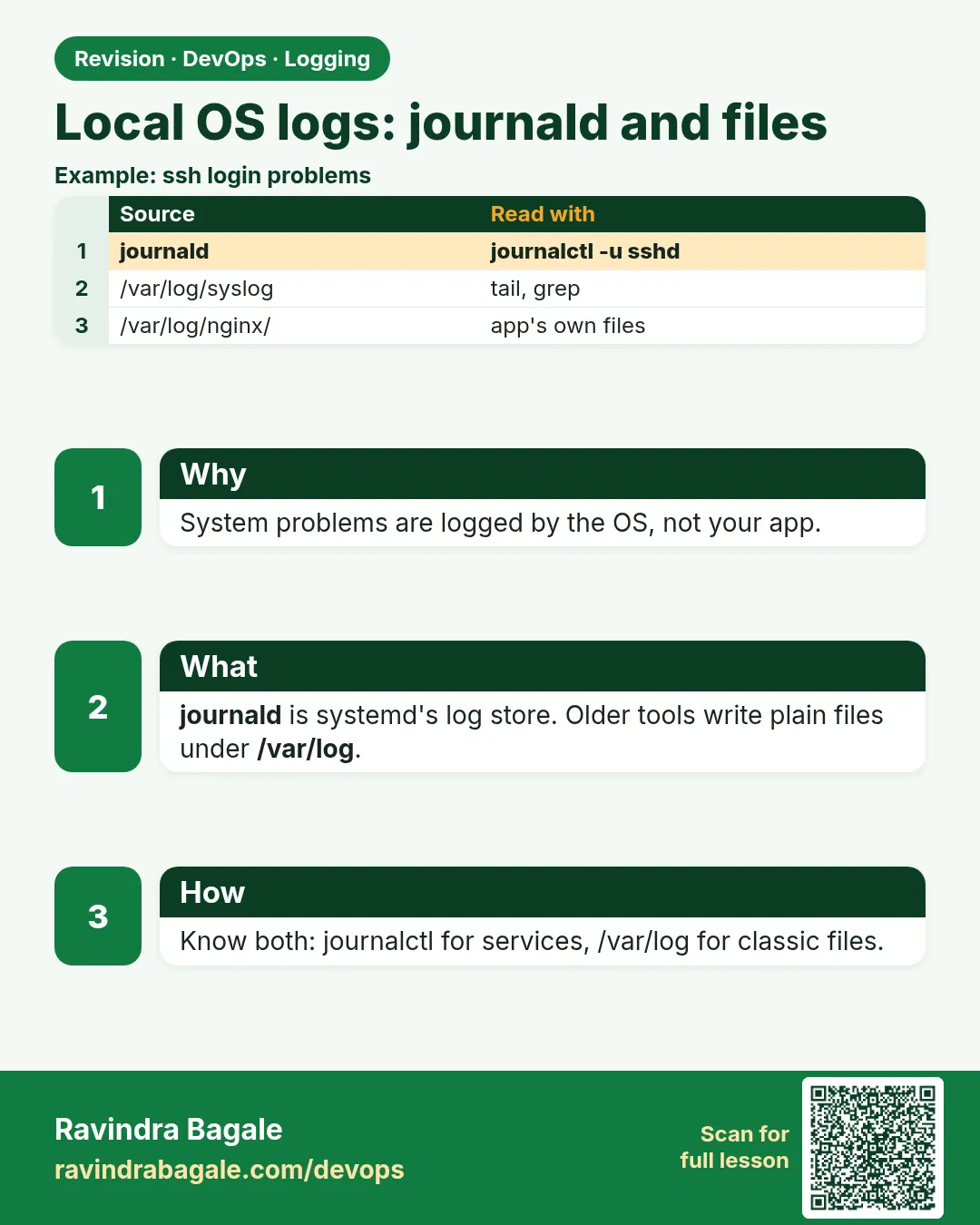
Suppose Infosys runs a client's billing app on an Ubuntu server, not in Docker. The app is a systemd service. One morning the app is down. The engineer logs in. Where are the logs? On a modern Linux server there are two places. First, journald. It is the log system of systemd, and it saves the output of every service. You read it with journalctl. Second, plain files in /var/log, like syslog, auth.log and nginx logs. Files grow every day. If nobody rotates them, they fill the disk. logrotate is the tool that cuts, compresses and deletes old files. In this lesson you will read both places and set up rotation for your own app.
What we will build
You will create a small systemd service that writes logs, read it with journalctl using many filters, look at /var/log files, write a logrotate rule for a Node.js app log, and limit journald size so the server disk stays safe.
What: every term in plain English
- systemd — The program that starts and manages services on modern Linux.
- Unit — One service file for systemd, like billing.service.
- journald — The systemd log collector. It saves service output in a binary journal.
- journalctl — The command to read the journal.
- /var/log — The folder where classic log files live.
- syslog — The main general log file on Ubuntu: /var/log/syslog.
- logrotate — A tool that rotates logs: renames, compresses and deletes old files on a schedule.
- Rotation — Starting a new log file and keeping a few old ones.
How: step by step
-
Write a tiny script
sudo tee /usr/local/bin/billing.sh (paste the script from Example 1, then Ctrl+D)What it does: The service will run this script.
Output
(script text echoed) -
Create the unit
sudo tee /etc/systemd/system/billing.service (paste the unit from Example 1)What it does: Tells systemd how to run the script.
Output
(unit text echoed) -
Start it
sudo systemctl daemon-reload && sudo systemctl enable --now billingWhat it does: Loads the new unit and starts it now and at boot.
Output
Created symlink /etc/systemd/system/multi-user.target.wants/billing.service -
Read its logs
journalctl -u billing -n 5 --no-pagerWhat it does: Last 5 lines of this service.
Output
Oct 25 09:20:01 lab billing.sh[3121]: invoice 41 created -
Follow live
journalctl -u billing -fWhat it does: Like tail -f for the service.
Output
Oct 25 09:20:06 lab billing.sh[3121]: invoice 42 created -
Only errors since today
journalctl -u billing -p err --since today --no-pagerWhat it does: -p err keeps priority err and worse.
Output
Oct 25 09:20:10 lab billing.sh[3121]: ERROR tax api 503
Example 1: A systemd service whose output goes to journald
Stack. Ubuntu 24.04, systemd, bash
Goal. A systemd service whose output goes to journald.
/usr/local/bin/billing.sh
#!/usr/bin/env bash
n=40
while true; do
  n=$((n+1))
  echo "invoice $n created"
  if [ $((n % 5)) -eq 0 ]; then
    echo "ERROR tax api 503" >&2
  fi
  sleep 5
done
/etc/systemd/system/billing.service
[Unit]
Description=Billing demo
After=network.target

[Service]
ExecStart=/bin/bash /usr/local/bin/billing.sh
Restart=always
User=nobody

[Install]
WantedBy=multi-user.target
What each line does
echo "invoice ..."— Goes to stdout, so journald saves it.echo ... >&2— Goes to stderr. journald saves it too.ExecStart=/bin/bash ...— Runs the script with bash, so no execute bit is needed.Restart=always— If the script dies, systemd starts it again.User=nobody— Run with a low-power user, not root.
Green output
$ journalctl -u billing -n 3 --no-pager
Oct 25 09:20:20 lab bash[3121]: invoice 44 created
Oct 25 09:20:25 lab bash[3121]: invoice 45 created
Oct 25 09:20:25 lab bash[3121]: ERROR tax api 503
Expected result. Every line has time, host, process and message. You wrote no log code at all.
Example 2: Rotate a Node
Stack. Node.js, logrotate
Goal. Rotate a Node.js app log file with logrotate.
/etc/logrotate.d/shopapp
/var/log/shopapp/*.log {
    daily
    rotate 7
    compress
    delaycompress
    missingok
    notifempty
    copytruncate
}
Commands
sudo mkdir -p /var/log/shopapp
node server.js >> /var/log/shopapp/app.log 2>&1 &
sudo logrotate -d /etc/logrotate.d/shopapp
sudo logrotate -f /etc/logrotate.d/shopapp
ls -lh /var/log/shopapp/
What each line does
daily— Rotate once a day.rotate 7— Keep 7 old files, delete older ones.compress / delaycompress— Gzip old files, but keep yesterday plain for easy reading.missingok / notifempty— No error if the file is missing; skip empty files.copytruncate— Copy the file, then empty it. The Node app keeps writing without restart.logrotate -d— Dry run. Shows what it would do.logrotate -f— Force a rotation now to test.
Green output
$ sudo logrotate -f /etc/logrotate.d/shopapp
$ ls -lh /var/log/shopapp/
-rw-r--r-- 1 root root    0 Oct 25 09:30 app.log
-rw-r--r-- 1 root root 2.1K Oct 25 09:30 app.log.1
Expected result. app.log is empty and fresh. Yesterday is in app.log.1. After 7 days old files are deleted.
Example 3: Keep journald small and read classic files
Stack. Ubuntu, journald, auth.log
Goal. Keep journald small and read classic files.
/etc/systemd/journald.conf (edit these lines)
[Journal]
SystemMaxUse=500M
MaxRetentionSec=14day
Commands
sudo systemctl restart systemd-journald
journalctl --disk-usage
sudo journalctl --vacuum-time=7d
sudo tail -n 3 /var/log/auth.log
sudo grep -i "failed password" /var/log/auth.log | tail -n 2
What each line does
SystemMaxUse=500M— The journal never uses more than 500 MB.MaxRetentionSec=14day— Delete entries older than 14 days.journalctl --disk-usage— Shows how much disk the journal uses.--vacuum-time=7d— Delete journal entries older than 7 days now./var/log/auth.log— SSH logins and sudo use. Great for security checks.
Green output
$ journalctl --disk-usage
Archived and active journals take up 1.2G in the file system.
$ sudo journalctl --vacuum-time=7d
Vacuuming done, freed 812.0M of archived journals from /var/log/journal.
Oct 25 09:33:12 lab sshd[4410]: Failed password for invalid user admin from 203.0.113.7 port 51022 ssh2
Expected result. You freed 812 MB and saw someone trying to guess SSH passwords.
Verify: did it work?
-
Check the service is active
systemctl status billing --no-pager | head -n 3What it does: Should say active (running).
Output
billing.service - Billing demo Active: active (running) since Sun 2026-10-25 09:20:00 IST -
Check logrotate state
sudo cat /var/lib/logrotate/status | grep shopappWhat it does: Shows the last rotation time.
Output
"/var/log/shopapp/app.log" 2026-10-25-9:30:0
When it is red 1
-- No entries --
Cause. Wrong unit name, or your user cannot read the journal.
Fix, step by step
- List units: systemctl list-units --type=service | grep bill
- Use sudo journalctl, or add your user to the systemd-journal group.
- Retry with the exact unit name.
When it is red 2
error: skipping "/var/log/shopapp/app.log" because parent directory has insecure permissions
Cause. The folder is writable by group or others.
Fix, step by step
- Add a line su root root inside the logrotate block.
- Or fix owner: sudo chown root:root /var/log/shopapp.
- Run logrotate -d again.
When it is red 3
Failed to start billing.service: Unit billing.service not found.
Cause. You forgot daemon-reload or the file name is wrong.
Fix, step by step
- ls /etc/systemd/system/billing.service
- sudo systemctl daemon-reload
- sudo systemctl start billing
Cleanup
-
Stop and remove the service
sudo systemctl disable --now billing && sudo rm /etc/systemd/system/billing.service /usr/local/bin/billing.sh && sudo systemctl daemon-reloadWhat it does: Cleans the lab service.
Output
Removed /etc/systemd/system/multi-user.target.wants/billing.service.
Ravindra Bagale's Tip
journalctl -u service -f is a daily command. Without logrotate, the disk will fill in one day — that is certain.
journalctl -u service -f हे रोज वापरणार command आहे. आणि logrotate नसेल तर एक दिवस disk full होणार हे नक्की.
journalctl -u service -f रोज़ वाला command है. और logrotate न हो तो एक दिन disk full होगी — ये पक्का.
Practice tasks
Easy Show logs from one boot
Why: After a crash you want this boot only.
What to do: Use journalctl -b.
- journalctl -b -p warning --no-pager | tail
Check: Only warnings from this boot.
Medium Output as JSON
Why: Tools read JSON easily.
What to do: Print one entry as JSON.
- journalctl -u billing -n 1 -o json-pretty
Check: You see fields like _PID and MESSAGE.
Hard Rotate weekly and keep 4
Why: Some teams keep one month.
What to do: Change the rule to weekly and rotate 4, then dry run.
- sudo logrotate -d /etc/logrotate.d/shopapp
Check: Dry run shows weekly and 4 rotations.
Easy Say Linux logs in two lines
Why: If you can say it simply, you understand it. Juniors and interviewers both want the short version first.
What to do: Write two short lines about Linux logs for a fresher who knows only Linux, Git and Docker basics.
- Write the problem it solves.
- Write the one command or config line you use for it.
- Read it aloud to a friend.
Check: A fresher understands it without asking a question.
Easy Keep a throwaway log lab
Why: Practice needs a lab you can break. If it gets messy, you delete the containers and start again.
What to do: Run a small app in Docker that prints logs every second.
- docker run -d --name ticker busybox sh -c "while true; do date; sleep 1; done"
- docker logs -f ticker
- Press Ctrl+C, then docker rm -f ticker.
Check: You see one new time line every second.
Medium Do it on a second stack
Why: Logging ideas must work for Python, Node.js and Java. Only the library changes.
What to do: Repeat this lesson with a different language than the one you used first.
- If you used Python, use Node.js or Spring Boot now.
- Keep the same field names: time, level, msg, request_id.
- Compare the two outputs side by side.
Check: Both apps print the same fields in the same shape.
Medium Break it on purpose
Why: You must know the red error by face. In a real outage there is no time to read slowly.
What to do: Cause one error from the "When it is red" part of this lesson and fix it.
- Follow the error section.
- Copy the exact message into your notes.
- Write the fix in one line.
Check: You fixed it using only the steps, without searching the web.
Medium Write a one-page runbook
Why: At 2 a.m. nobody remembers log commands. A short page saves the on-call person.
What to do: Write a one-page runbook for this lesson.
- Title, when to use, exact commands, how to check, how to undo.
Check: A teammate can follow it alone.
Hard Explain it like an interview
Why: Interviewers want real stories, not definitions.
What to do: Record a 60 second answer about this lesson.
- Say the problem, the command you ran, the log line you found and the fix.
Check: Your answer has a real command and a real log line.
Hard Draw the flow top to bottom
Why: A drawing shows where a log line is born and where it ends up.
What to do: Draw this lesson as boxes from top to bottom.
- Start at the user click, go through the app, the log driver or agent, and end at the place you search.
Check: Each box matches a real command or file in this lesson.
Homework: try at home
Try at home
At home, make a systemd service for a Python script, read its errors with journalctl -p err, and add a logrotate rule that keeps 14 days.
Recap
- systemd services log to journald automatically.
- journalctl -u, -f, -p and --since are the key filters.
- Classic files live in /var/log.
- logrotate keeps files small with daily, rotate and compress.
- Limit journald with SystemMaxUse.
FAQ
Is journald a file I can cat?
No, it is binary. Use journalctl.
Are journal logs kept after reboot?
Yes, if /var/log/journal exists. Ubuntu keeps them by default.
Should Docker apps use logrotate?
No. Use Docker max-size. logrotate is for files.
What is the difference between syslog and journald?
syslog is the older text file system. journald is newer and structured. Many servers run both.
Can I send journald to CloudWatch?
Yes, with the CloudWatch agent or a forwarder. Next lessons show it.
Interview questions
-
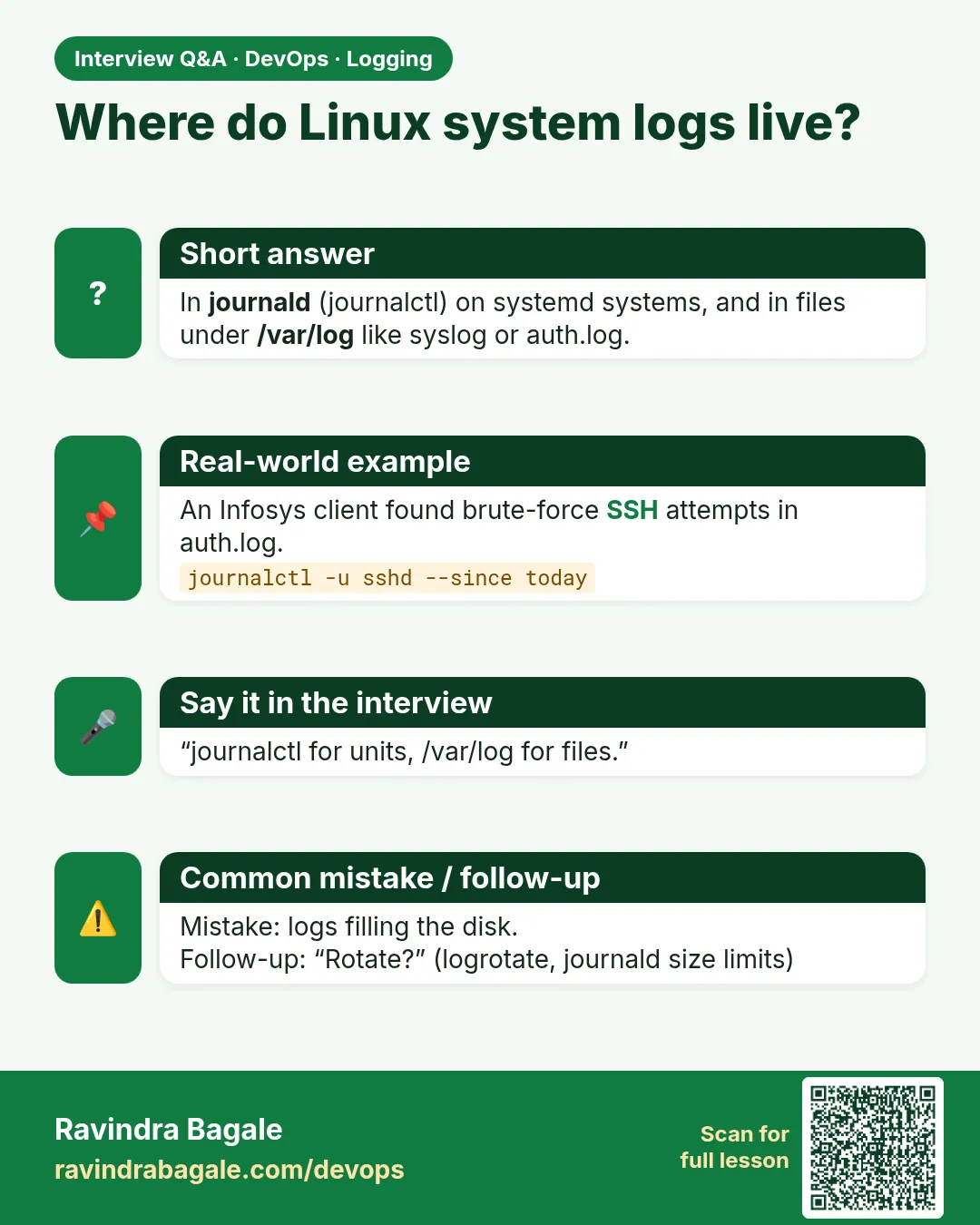
How do you check logs of a systemd service?
journalctl -u service with -f, -n, -p err and --since.
-
What is logrotate and why use it?
It rotates, compresses and deletes old log files so the disk does not fill.
-
copytruncate vs create?
copytruncate copies and empties the file; create makes a new file and the app must reopen it, often with a postrotate reload.
-
How do you free journal space?
journalctl --vacuum-time or --vacuum-size, and set SystemMaxUse.
-
Which log shows SSH failures?
/var/log/auth.log on Ubuntu, /var/log/secure on Amazon Linux and RHEL.
Quick quiz
Q1. Which command reads the journal?
journalctl.
Q2. How do you see logs of one service?
journalctl -u NAME.
Q3. What does copytruncate do?
Copies the log then empties it, so the app keeps writing.
Q4. Where are SSH login logs on Ubuntu?
/var/log/auth.log.
Q5. How do you limit journal size?
SystemMaxUse in journald.conf.
Did you understand? Let us try it once more.
 Revision card
 Interview card