Ravi Sir's Cards › Generative AI
India caption path in 5 steps
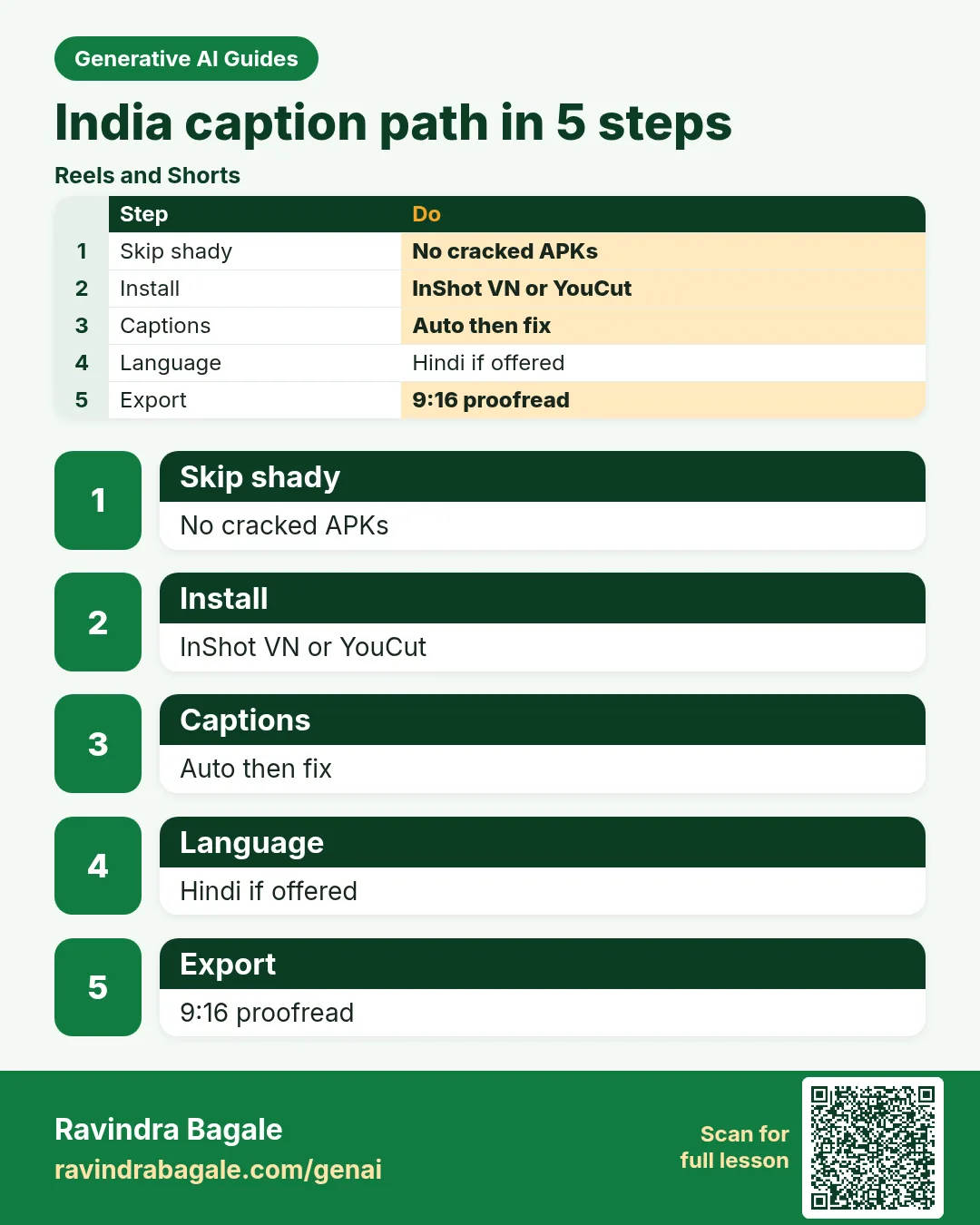
This card gives five steps for adding captions to Reels and Shorts in India without CapCut. First, skip shady downloads, because CapCut is not listed on the Indian Google Play Store and cracked APK files can carry malware. Second, install a caption app from the official Play Store or App Store, such as InShot, VN or YouCut, which all list an auto captions feature. Third, create the automatic captions first and then fix the spelling and timing yourself. Fourth, choose Hindi or another language if the app offers it; YouCut's store page says its auto captions support Hindi. Fifth, export in vertical 9:16 format and proofread the captions once more before posting.
Read card text
What this card says
This card gives five steps for adding captions to Reels and Shorts in India without CapCut. First, skip shady downloads, because CapCut is not listed on the Indian Google Play Store and cracked APK files can carry malware. Second, install a caption app from the official Play Store or App Store, such as InShot, VN or YouCut, which all list an auto captions feature. Third, create the automatic captions first and then fix the spelling and timing yourself. Fourth, choose Hindi or another language if the app offers it; YouCut's store page says its auto captions support Hindi. Fifth, export in vertical 9:16 format and proofread the captions once more before posting.
Learn this in the lesson: CapCut Alternatives in India: Auto Captions for Reels and Shorts