Ravi Sir's Cards › Generative AI
Build mode app in 5 steps
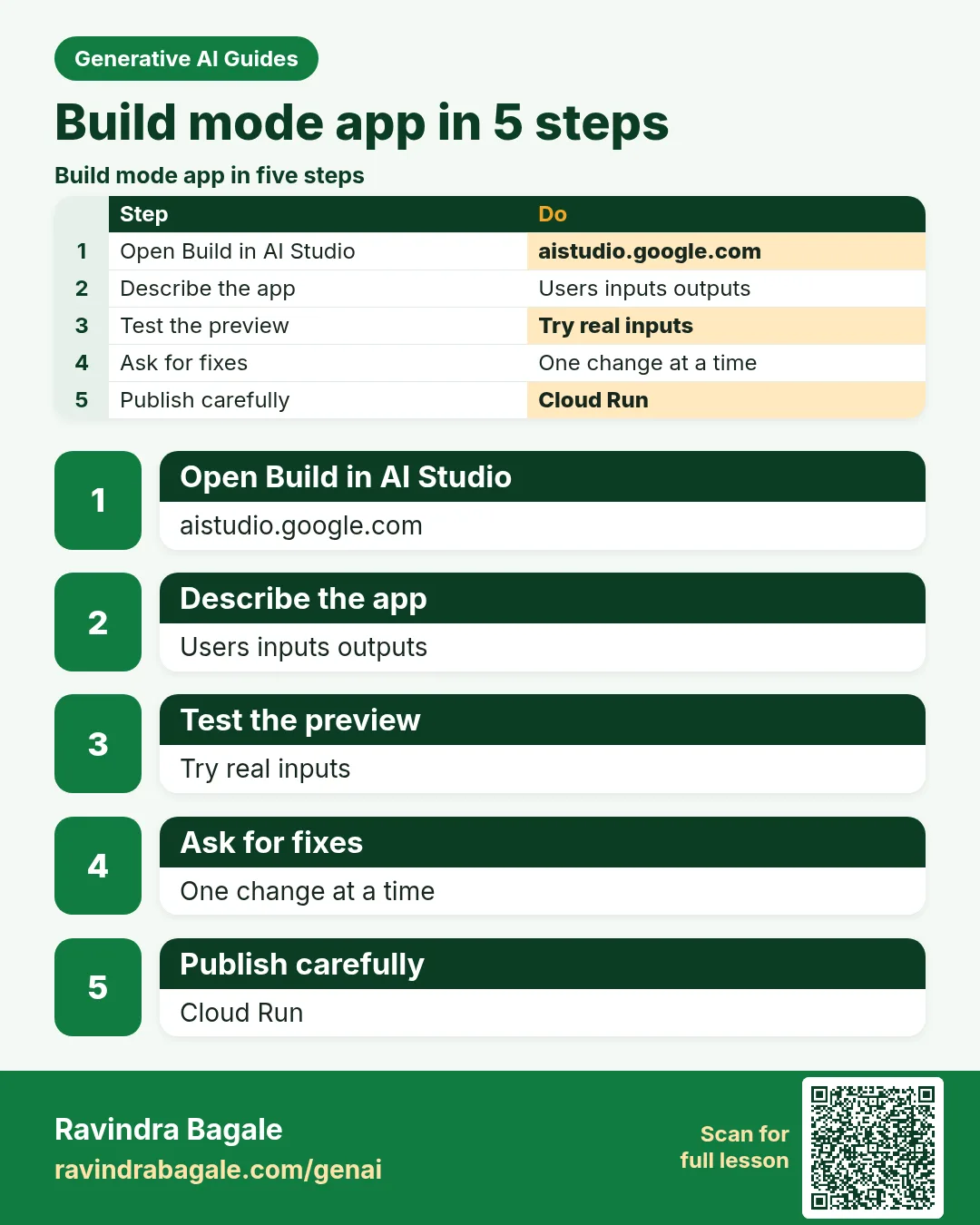
This card gives five steps for making a small app with Build mode in Google AI Studio. First, open the Build tab at aistudio.google.com. Second, describe the app in plain words: who will use it, what they will type in, and what the app should show back. Third, test the live preview with real inputs, such as three different questions, before you trust it. Fourth, ask for fixes one change at a time, so you can see what each change did. Fifth, publish carefully: a web app can be published to Cloud Run, and Google says Starter Tier accounts get their first two deployments at no cost, but usage beyond that can be charged.
Read card text
What this card says
This card gives five steps for making a small app with Build mode in Google AI Studio. First, open the Build tab at aistudio.google.com. Second, describe the app in plain words: who will use it, what they will type in, and what the app should show back. Third, test the live preview with real inputs, such as three different questions, before you trust it. Fourth, ask for fixes one change at a time, so you can see what each change did. Fifth, publish carefully: a web app can be published to Cloud Run, and Google says Starter Tier accounts get their first two deployments at no cost, but usage beyond that can be charged.
Learn this in the lesson: Google AI Studio Build Mode: Make an App Free from a Prompt